

I came away from Gamuroid: Retro Game Emulator with a fairly clear impression: it is most appealing as a convenient retro-gaming toolbox, not as a perfect replacement for every dedicated emulator. Metaverse Labs has put several classic platforms behind one Android app, which makes it easy to keep an older library in one place instead of jumping between separate tools.
That convenience matters more than it may sound. When I want to revisit different kinds of older games, I would rather open one familiar interface than remember which emulator belongs to which system. Gamuroid is a free tools app for Android, rated for Everyone, and its broad platform coverage gives it a practical role for casual players, collectors, and anyone who wants a compact way to organize retro play.
The important qualification is that an all-in-one design always involves trade-offs. A specialist emulator can sometimes feel more focused, while a multi-system app has to balance different controls, settings, and performance needs. My recommendation is therefore straightforward: choose Gamuroid if flexibility and simplicity are your priorities; look elsewhere if you need the deepest system-specific tuning or expect every demanding title to behave identically.
One app for a surprisingly wide range of retro systems
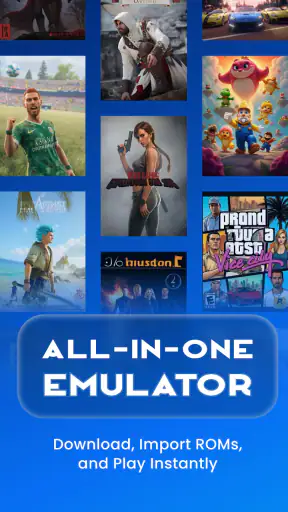
The central attraction is the variety of systems it brings together. Gamuroid covers PSP, PSX, PS2, NES, Game Boy, Game Boy Advance, Nintendo DS, Nintendo 64, and additional platforms. That range moves from simple 8-bit games to much more demanding three-dimensional hardware, so the app is trying to serve a very broad audience rather than one narrow retro community.
In everyday use, that means the app can suit someone whose library is scattered across generations. You might spend a few minutes with a handheld-style game, switch to a cartridge-era console, and later try a disc-based title without installing a different application for every change. The value is not just the number of systems listed; it is the reduction in setup friction between them.
I also like the way this positioning changes the decision for newcomers. A first-time emulator user does not necessarily want to compare a long list of separate apps, learn several interfaces, and decide which one is trustworthy for each platform. A single starting point feels less intimidating. Gamuroid makes more sense as an accessible entry into emulation than as a tool chosen only after researching every technical alternative.
There is an important practical boundary, though. An emulator is not the same thing as a game library. You still need to handle your own legally obtained game files and use them responsibly. Gamuroid’s appeal is the playback environment and the convenience of managing different systems, not a promise of included games. That distinction is worth understanding before installing it.
Why the all-in-one approach works well
The strongest evidence in its favor is the way its broad scope supports real routines. Imagine having a quiet commute or a short break at home. Instead of deciding which dedicated emulator to open, you can launch Gamuroid and continue with whichever system matches your mood. A quick handheld session and a longer console session can live in the same general workflow.
That is especially useful for people who revisit games irregularly. If you only play a particular system every few months, a separate app can become another piece of digital clutter. Keeping several platforms under one roof makes occasional play easier to resume. I see this as the app’s clearest everyday advantage, and it is more meaningful than simply saying that it supports many consoles.
The broad compatibility also makes it useful for comparing how different eras of games feel. Someone exploring retro design can move from a NES title to a Game Boy Advance game, then try a Nintendo 64 or PlayStation experience. That kind of side-by-side exploration is less convenient when every platform has a separate interface and separate settings habits.
Gamuroid is also a sensible option for a spare Android device used mainly for older games. Since it is free to download, the initial barrier is low. The app has reached over a million installs and holds a 4.4 average from roughly fifty-seven thousand ratings, which suggests that the concept has attracted a substantial audience rather than remaining a niche experiment.
What I would check before building a library around it
The first thing I would do after installation is test a small sample from each system I actually care about. I would not begin by moving an entire collection into the app. Start with one lightweight handheld game, one cartridge-era console game, and one more demanding disc-based title. This gives you a realistic sense of how your device handles the range you intend to play.
That staged approach is one of the most useful habits with a multi-system emulator. Performance expectations can change dramatically between platforms, and a smooth experience with a simple handheld game does not automatically tell you how a PlayStation 2 or PSP title will behave. Testing first prevents disappointment and helps you decide whether Gamuroid should be your main emulator or merely a convenient secondary option.
I would also keep the game files organized outside the app before importing or opening them. Clear folders by system make troubleshooting easier, particularly when several platforms use different file formats or naming conventions. This is not glamorous advice, but it saves time when you are trying to work out whether a problem comes from the file, the selected platform, or the emulator itself.
Another useful habit is to change one setting at a time. With an all-in-one tool, it is tempting to adjust several options after seeing a visual or control issue. That makes it harder to identify what actually helped. A slower, deliberate approach is better: establish a baseline, make one change, and test the same section of a game again.
The main weakness is not the idea, but the breadth
My biggest reservation is that wide support can create uneven expectations. NES and handheld emulation generally asks for a different kind of interface than a touchscreen adaptation of a more complex console. Nintendo DS titles may involve two-screen interaction, while PlayStation 2 and PSP games can require more demanding rendering and more comfortable physical controls. One app has to accommodate all of these situations.
That does not make Gamuroid a poor choice, but it does mean the experience may feel more convincing on some systems than others. If your main goal is one specific platform, a dedicated emulator may offer a more focused control layout and a clearer set of options. The all-in-one advantage is strongest when you genuinely use multiple systems, not when you only need one.
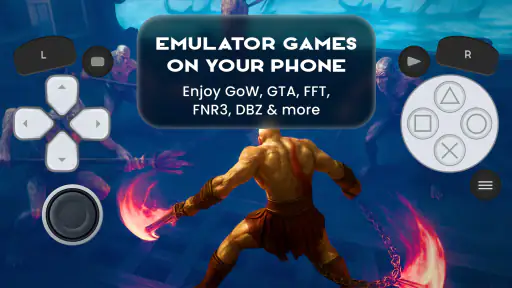
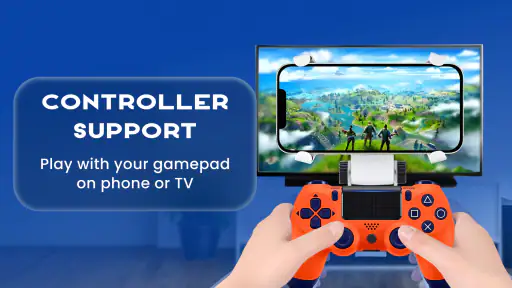
Touch controls are another consideration I would take seriously. They are convenient for short sessions and games designed around relatively simple input, but they are not automatically ideal for every title. Fast action, dual-stick movement, shoulder buttons, or games built around a physical directional pad can become tiring on a flat screen. A compatible controller can improve the experience, but that adds another item to your setup.
I would also avoid assuming that the most demanding systems will feel identical across all Android phones and tablets. The minimum operating-system requirement is Android 7.0, but that tells you whether the software can run at the operating-system level, not whether every device will deliver the same results with demanding games. Hardware, thermal behavior, screen size, and controller support all influence comfort and performance.
The pricing model deserves a careful look as well. The app is free, but it includes optional purchases ranging from under a dollar to nearly forty dollars per item. That does not automatically make it poor value, yet I would review the purchase screen before committing to anything. Someone who only wants occasional retro sessions may be perfectly satisfied without spending extra, while a dedicated user should decide whether the paid options genuinely improve their particular workflow.
Small workflow choices that make a difference
One non-obvious strength of an app like this is the ability to reduce context switching. I would use it as a single “continue playing” space rather than treating it as a technical project. Keep only the games you are actively revisiting easy to find, and resist turning the library into an unmanageable archive. The fewer decisions between opening the app and starting a game, the more its unified design pays off.
A second useful trade-off concerns screen layout. For a handheld title, a compact portrait setup may feel natural during a short session, while a landscape layout can make more sense for console games. I would choose the orientation based on the platform and control demands rather than using one arrangement for everything. The app’s value comes from covering different systems, so your preferred layout may need to change with them.
For Nintendo DS games, I would think about screen visibility before playing anything that depends heavily on both displays. A phone can show multiple screens, but the result may be smaller or less comfortable than expected. This is a case where Gamuroid’s broad platform support is useful for experimentation, yet a larger device or physical controller may be the better choice for longer sessions.
A third practical insight is to use the app as a testing ground before deciding whether a dedicated alternative is necessary. If you only occasionally play several platforms, Gamuroid may be all you need. If one system becomes your main hobby, you can then compare a specialist option based on actual needs rather than assumptions. That makes the free entry point valuable even for users who eventually settle on another emulator for a particular platform.
Who should install it, and who should pass?
I would recommend Gamuroid to Android users who want variety without maintaining a collection of separate emulator apps. It is a good fit for casual retro players, people revisiting games from more than one generation, and newcomers who prefer a single starting point. The Everyone content rating also makes its general audience positioning clear, although the games you choose to run can naturally vary in tone.
It is particularly attractive if your play style is spontaneous. You may not know whether you want a portable game, an old cartridge title, or a three-dimensional console game until you open the app. In that situation, the unified approach is more useful than the theoretical perfection of a specialist tool you rarely launch.
I would be more cautious if you are a serious player of one demanding platform. If your entire priority is extracting the best possible experience from PS2, PSP, or another specific system, you may prefer an emulator built around that platform’s particular controls and tuning needs. Gamuroid can still be worth testing, but I would not choose it solely because its platform list is long.
I would also skip it if you expect emulation to be effortless on every Android device. The Android 7.0 minimum makes the app broadly accessible in terms of software compatibility, but demanding games can still expose the limits of older or less powerful hardware. In that case, the sensible question is not whether the app supports a platform in general, but whether your device is comfortable with the games you want to play.
How it compares with separate emulator apps
Compared with the usual dedicated alternatives, Gamuroid’s advantage is organization. One installation, one general workflow, and one place to explore different systems is easier for many people than assembling a toolkit piece by piece. It is also a less intimidating first step for someone who has never used an emulator before.
Dedicated apps have a different advantage: focus. When a developer concentrates on one platform, the interface can be shaped around that system’s special controls and common problems. Advanced users may appreciate having more platform-specific choices, even if that means managing several apps. The right comparison therefore depends on whether you value breadth or depth.
For me, Gamuroid wins when convenience is the deciding factor and loses when precision is the deciding factor. I would use it for a mixed retro library and for discovering which systems I actually enjoy revisiting. I would consider a specialist alternative when a single console becomes important enough that small control or configuration differences matter every time I play.
What the current release and cost mean in practice
The current version is 5.7.3, and the app was released on December 20, 2024. Those details place it as a relatively recent option rather than a long-established tool with years of history behind it. I would treat that as a reason to keep expectations sensible: the concept is attractive, but users who depend on mature, highly documented emulator ecosystems may still prefer more established alternatives.
Because the download is free, trying it is relatively easy. I would spend time with the systems and games that matter to me before considering in-app purchases. Optional items cost between $0.99 and $39.99 each, so the difference between casual use and a more committed purchase is substantial. The best value depends on whether the app becomes a regular part of your gaming routine.
The developer, Metaverse Labs, has chosen a clear direction with this product: make one Android tool cover a wide retro range. That direction is easy to understand and genuinely useful, but it also explains why I would judge the app by flexibility rather than expecting every platform to feel like a purpose-built solution.
My final recommendation
After weighing the convenience against the compromises, I see Gamuroid as a strong first emulator for Android users who want to explore several retro systems without filling their device with separate apps. Its free entry point, broad coverage, and accessible concept make it easy to recommend for mixed libraries and occasional play.
I would not call it the automatic best choice for every emulator user. Touch controls can limit comfort, demanding platforms may require realistic hardware expectations, and a specialist app can be better when one system is your only concern. The optional purchase range also means I would try the free experience carefully before spending anything.
My bottom line is simple: Gamuroid is best when convenience is part of the experience you want. Install it if you like moving between NES, handheld, PlayStation, Nintendo 64, and other supported platforms from one place. If you want the deepest possible treatment of a single console, compare it with a dedicated alternative first. For everyone in between, this is a practical and approachable way to bring a varied retro collection together.


